[RE]Discover QField[Cloud]
Looking back at recent developments
and what’s to come
What is QField for QGIS?
Your best field companion!
Whatever your field — forests, cities, heritage sites, disaster zones — QField helps you collect and manage the data that really counts. Fast, reliable, multilingual and open-source, QField brings the power of QGIS wherever your work takes you.
🗺️ High precision location, tracking, geofencing, and full QGIS symbology, just like on desktop.
📋 Create rich survey forms with constraints, logic, defaults, and validations — all in QGIS.
📸 Photos, videos, audio, QR code scanning, and NFC — fully integrated.
What is QField for QGIS?
More?!
✏️ Snap, reshape, freehand draw, edit vertices, and run field-based geometry operations.
🧩 Extend QField with custom QML/JavaScript tools and workflows.
☁️ Sync projects and data in real time with QFieldCloud and work with GeoPackages, KML, GPX, georeferenced PDFs, and more.
The last 24 months in review: August 2025
Customized image stamping & plugin repository
QField 3.7 brings image stamping customization allowing for in-app branding of images. Plugins continue to evolve with a repository to ease installation.
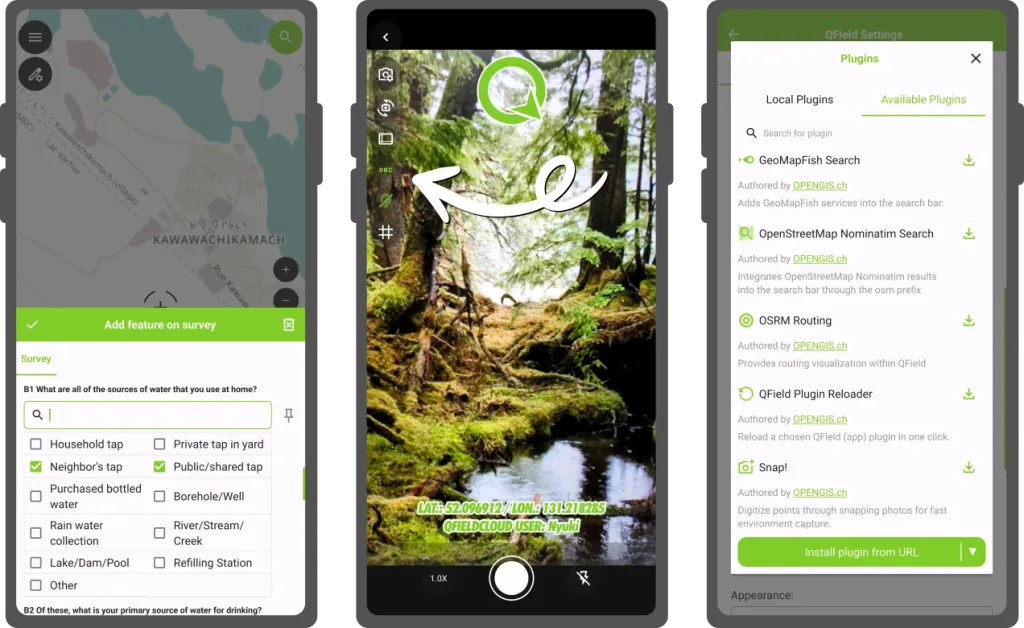
Other highlights include: fine grained layer permission system and vector tile identification.
The last 24 months in review: June 2025
Feature form love & map canvas preview
QField 3.6 is released with a focus on feature form polishing to coincide with the release of the XLSForm Converter. Map canvas preview makes UX panning around much nicer.
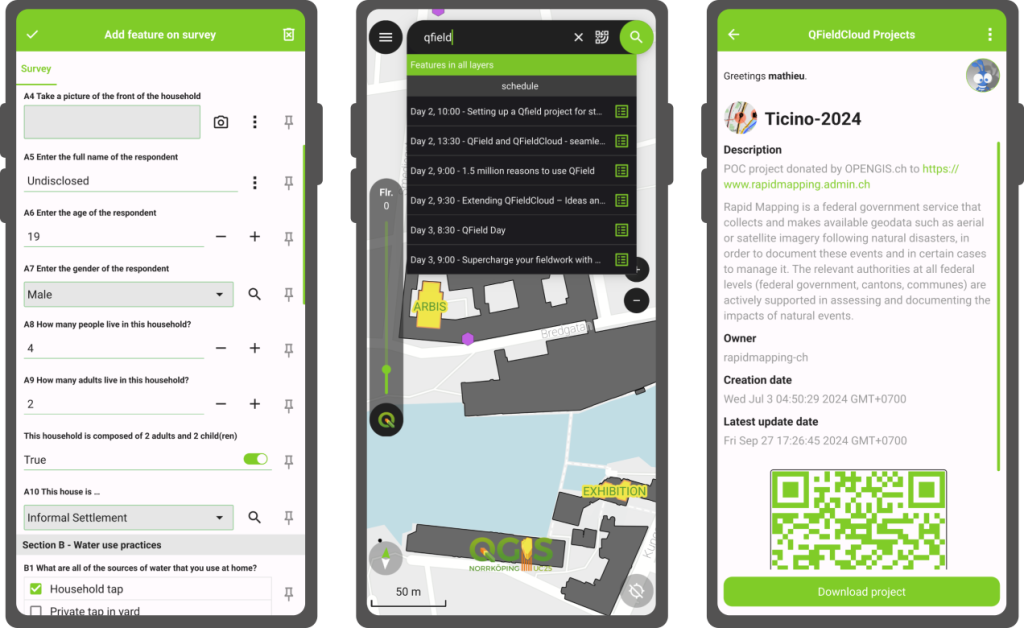
Other highlights include: map layer notes, feature identification on WMS/ArcMapService.
The last 24 months in review: March 2025
Background positioning tracking
QField 3.5 unlocks a long awaited user feature: the ability to track their position while their phone is locked!
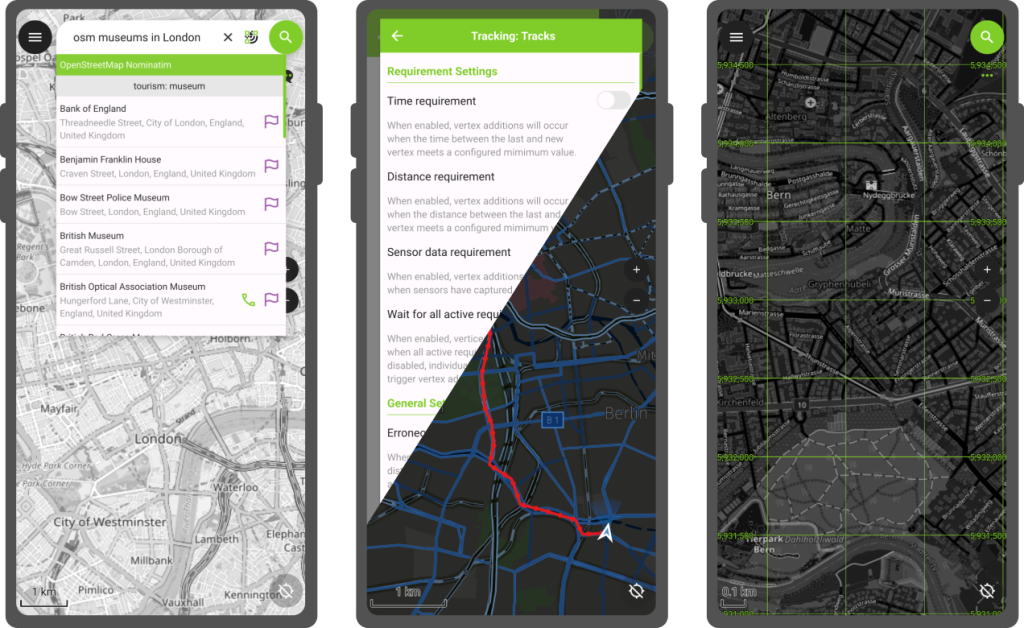
Other highlights include: “forward” angle snapping, grid decorator, and WebDAV imports.
The last 24 months in review: October 2024
Processing toolbox & geofencing
QField 3.4 makes its way into the public providing access to QGIS’ processing toolbox algorithms while in the field as well as geofencing!
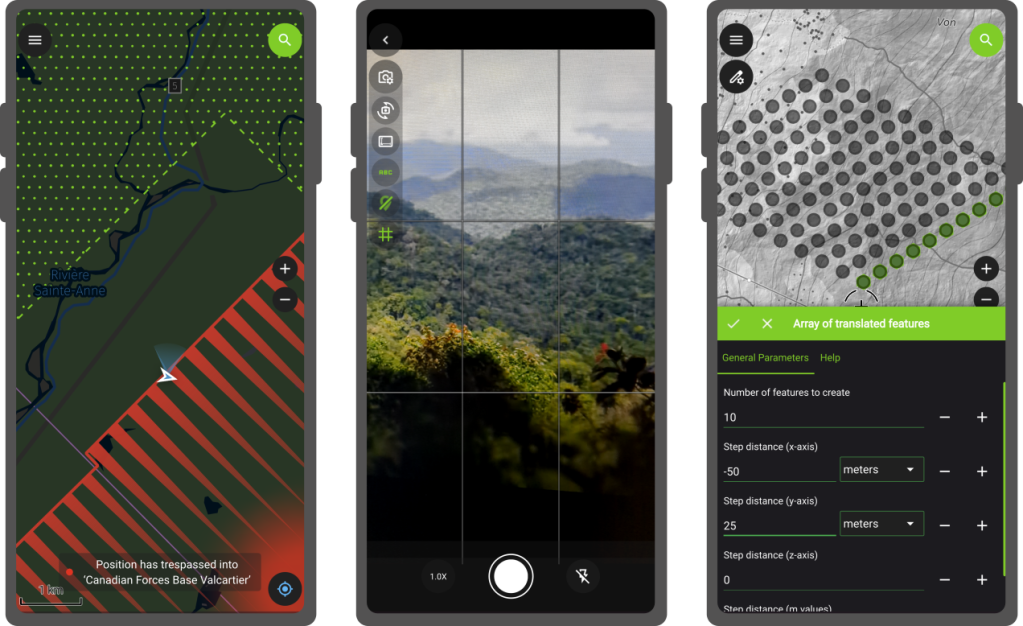
Other highlights include: project variable editing, and a better in-app camera.
The last 24 months in review: June 2024
Plugin framework landing & image sketching
QField 3.3 launches a new chapter with plugin framework and adds a long-sought feature: image sketching.
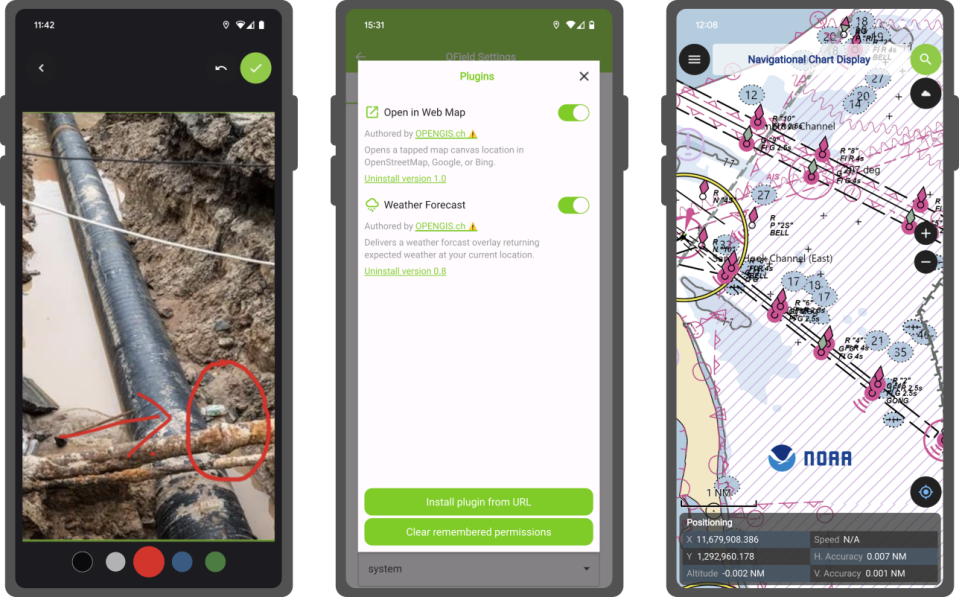
Other highlights include: transfer of feature attributes and copy to clipboard, image decoration overlay, refinement to the side dashboard legend.
The last 24 months in review: April 2024
Project-defined tracking session
QField 3.2 provides users and managers the ability to define tracking sessions within their project files.
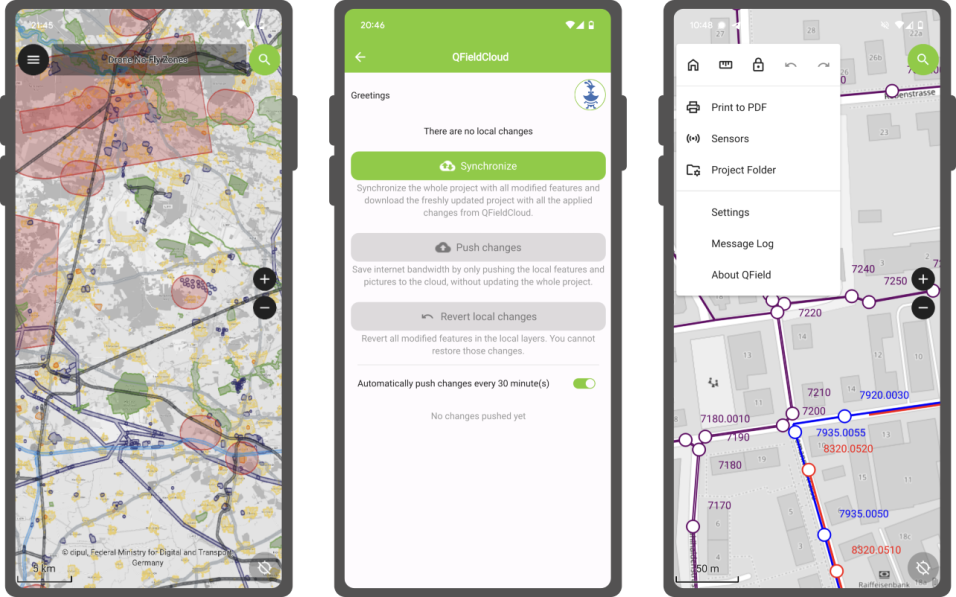
Other highlights include: undo/redo mechanism.
Beyond the features
Documentation expanding
In the last year, tons of efforts spent on improving the documentation site (https://docs.qfield.org/) as well as making the growing amount of content accessible within QField itself.
What is QFieldCloud?
Check out on app.qfield.cloud
☁️ Centralized project, data and settings management.
🤝 Collaboration - users, organizations, teams.
✏️ Data versioning.
🧑💻 API integrations.

What about QFieldCloud?
New features for all subscriptions
- More storage with the same expense - 3 times more storage, same monthly invoice.
- Support virtual layers in community plan - more functionality, more flexibility.
New QFieldCloud products
- Dedicated installations - your organization, our dedicated server, our expertise, just for you.
- On-premises operations agreement - your organization, your server, our expertise, just for you.
File storage
We implemented a new file storage backend, that was yet to be the largest single change of QFieldCloud ever.
- Speed - make file handling equally fast for both small and large projects.
- Resticted project files - limit who can change sensitive files.
- Resumable large file downloads - make downloading on unstable networks much more effient.
- Allow uploads of files up to 20GB - because spatial data is heavy.
Projects
- Shared datasets - upload your basemaps once, use it within all projects in your organization.
- Attachments on demand - don’t overload your device with sometimes unnecessary attachments.
Secrets
- Add organization level secrets - having to declare the same secrets for each individual project was tiring.
- Assign secrets to individual users - best practices matter!
Single sign-on (SSO) support
- Dedicated/on-premises instances are ready to support your OIDC provider.
Upcoming features
in QField 4.0
Project creation wizard
within QField
New users and veterans will be able to create projects on the fly via a simple wizard.
Newly-created projects as well as pre-existing ones can be converted to cloud projects in QField itself.
UI/UX polisihing
and feature discoverability
The addition of a new pie menu and positiong jumping with infinity grid as well as button leaning on the main screen makes for a friendlier interface with key features such as tracking sessions easier to discover.
And plenty more
Other enhancements include WMS legend, tons of QFieldCloud polishing, copy/pasting of features across layers, and project localization.
Plugin authors will also benefit from the addition of several key APIs allowing for vector layer creation as well as layer injection into projects.
What to expect from
QFieldCloud in 2026
- New plans, yearly payment and more payment methods.
- Resumable file uploads.
- New project creation options from the Web UI.
- Template projects and project cloning.
- UI/UX polishing.